 LidAwake
Close the lid.
Your AI keeps working.
ふたを閉じても、
AI は働き続ける。
LidAwake is a tiny Mac app with one big switch. Turn it on, close your MacBook, and Claude Code, AI agents, long builds and downloads keep running — on battery, with no external display. LidAwake は大きなスイッチがひとつだけの Mac アプリです。オンにして MacBook を閉じれば、Claude Code や AI エージェント、長いビルドやダウンロードが止まりません。電池だけでも、外部ディスプレイが無くても動きます。
One-time purchase · macOS 13 or later · Apple Silicon & Intel 買い切り · macOS 13 以降 · Apple Silicon・Intel 両対応
Built for long, unattended work放っておく長い作業のために
Normally a MacBook sleeps the moment you close it, and everything stops. LidAwake changes just that one behavior — nothing else. ふつう MacBook は閉じた瞬間に眠り、作業も止まります。LidAwake が変えるのはその1点だけです。
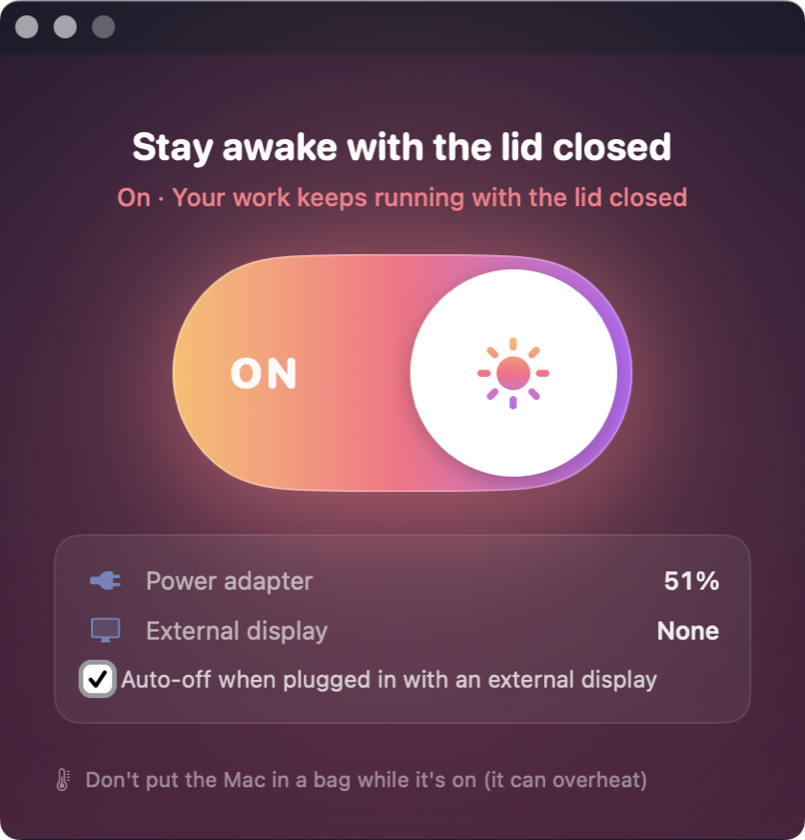
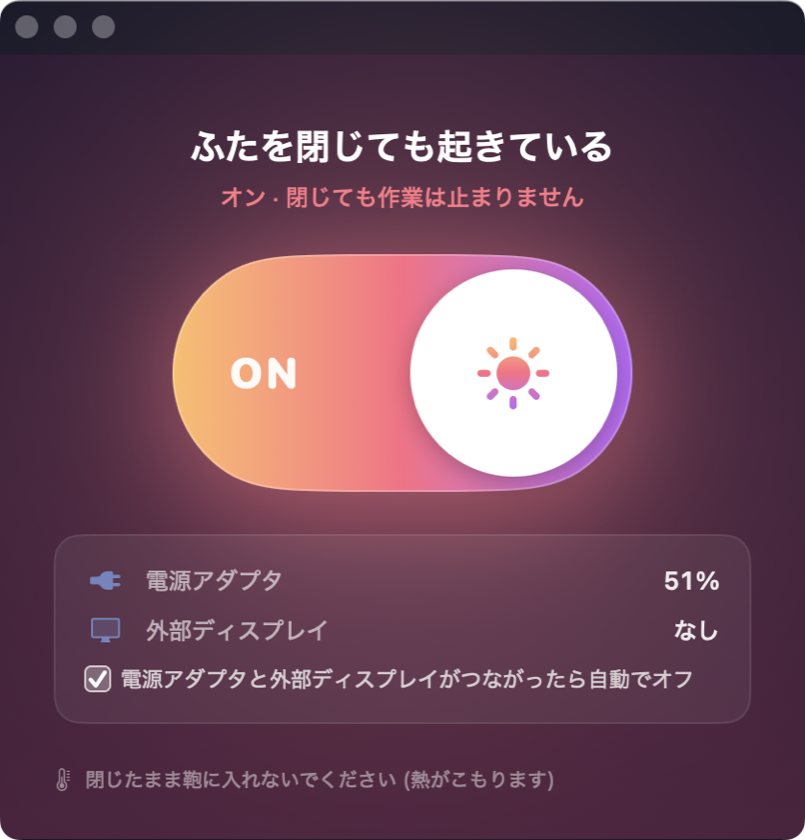
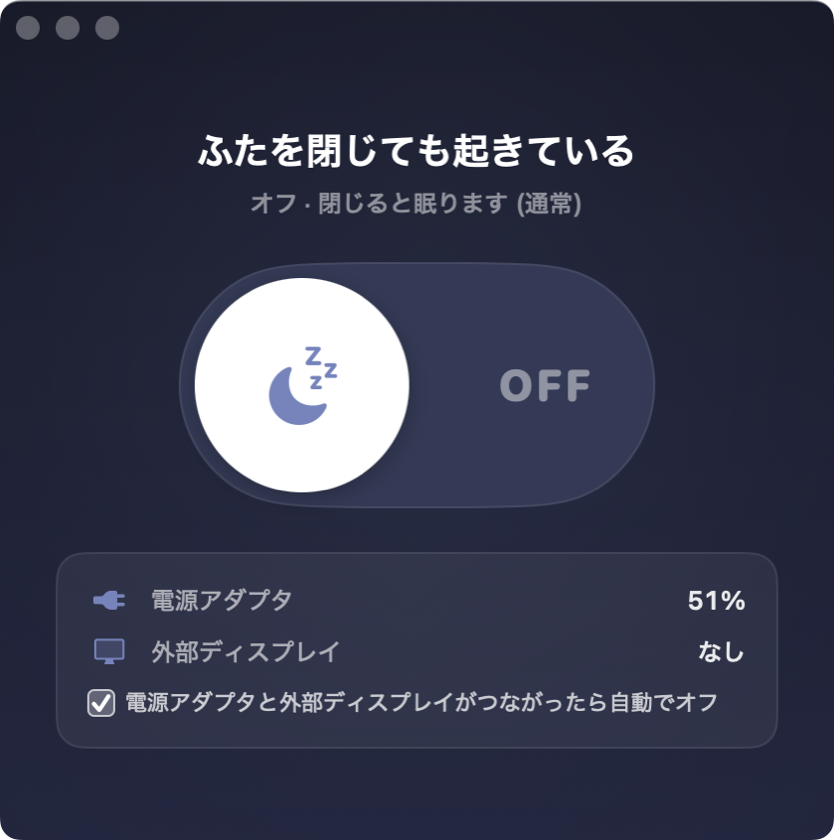
One big switch大きなスイッチひとつ
On or off. That's the whole app. Also in your menu bar.オンかオフか、それだけ。メニューバーからも切り替えられます。
Battery, no display needed電池だけ・ディスプレイ無しで
Clamshell mode needs a charger and a monitor. LidAwake doesn't.クラムシェルモードは充電器とモニターが必要。LidAwake は要りません。
No password promptsパスワードは最初の1回だけ
Enter it once at setup. Only this one setting is allowed — nothing else.準備のときに1度だけ。許すのはこの設定の切り替えだけです。
Auto-off when dockedつないだら自動でオフ
Plug in power and a display, and it switches itself off — macOS handles that case already.充電器とディスプレイをつなぐと自動でオフ。その場合は macOS が眠らないためです。
Battery & heat warnings電池と熱の注意
Shows battery level and reminds you not to bag a running Mac.電池の残りを表示し、閉じたまま鞄に入れないよう注意します。
English & Japanese英語・日本語
Follows your Mac's language. Signed and notarized by Apple.Mac の言語に合わせて切り替わります。Apple の公証済み。
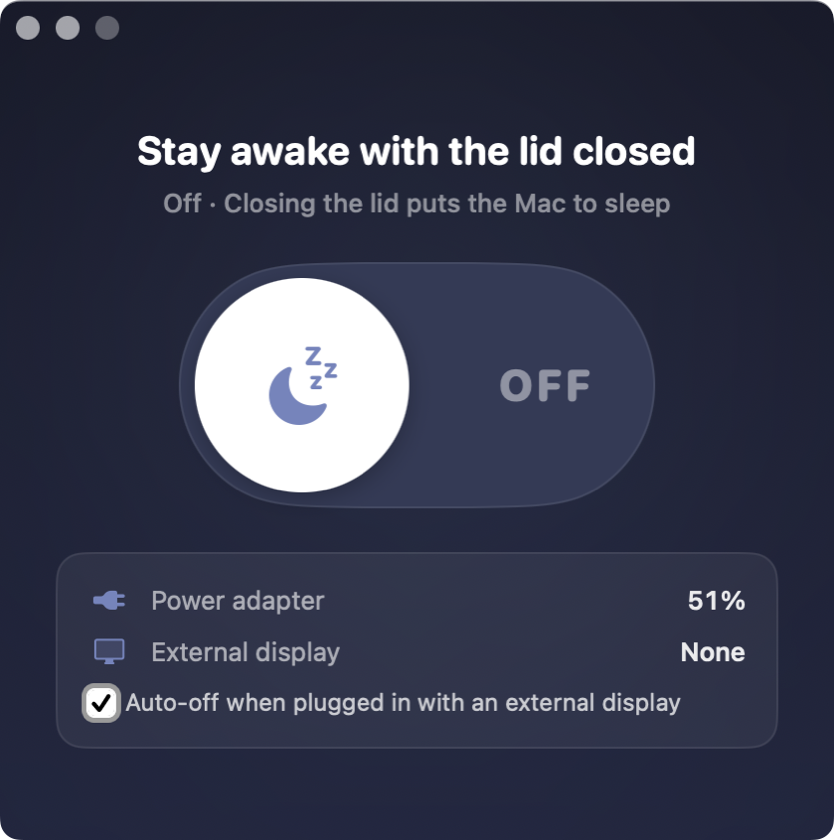
Night and day夜と夕焼け
Off is a calm indigo night. On glows like a sunset, so you always know at a glance.オフは静かな夜の藍、オンは夕焼けの色。ひと目で状態がわかります。
How it works使い方
Three steps, about a minute.3ステップ、1分ほどです。
Install入れる
Unzip and drag LidAwake into Applications.zip を開いて、LidAwake をアプリケーションへドラッグ。
Set up once1度だけ準備
Click “Set up” and enter your Mac password one time.「準備する」を押して、Mac のパスワードを1度だけ入力。
Flip the switchスイッチを入れる
Turn it on, close the lid, walk away. Turn it off when you're done.オンにして閉じるだけ。終わったらオフに。
Simple pricingシンプルな価格
Pay once, keep it forever.1度払えば、ずっと使えます。
$3.99 one-time480円 買い切り(税込)
- All future updates included今後のアップデート無料
- Use on all your own Macsご自身の Mac なら何台でも
- Instant download after paymentお支払い後すぐにダウンロード
- Refund within 14 days if it doesn't work on your Macお使いの Mac で動かなければ14日以内に返金
Secure checkout by Stripe. Prices shown in your local currency.決済は Stripe(カード・Apple Pay など)。
FAQ
Is it safe?安全ですか?
LidAwake uses Apple's own pmset disablesleep setting. The one-time setup allows only two exact commands (turn it on / off) without a password — nothing else. The app sends no data anywhere.
Apple 標準の pmset disablesleep という設定を使います。初回の準備でパスワード無しにするのは「オン」「オフ」の2つのコマンドだけです。アプリは外部にデータを送りません。
Will my Mac overheat?熱くなりませんか?
A closed Mac doing heavy work gets warm. Leave it on a desk, never in a bag, and turn LidAwake off when you're done. 閉じたまま重い作業をすると温かくなります。机の上に置き、鞄には入れず、終わったらオフにしてください。
What about battery?電池は?
While it's on, your Mac won't sleep even when idle, so the battery keeps draining. The app shows your battery level and warns you when you're on battery. オンの間は、何もしていなくても眠らないので電池が減り続けます。アプリに電池の残りと注意を表示します。
How is it different from Amphetamine or caffeinate?Amphetamine や caffeinate との違いは?
caffeinate and most keep-awake apps stop idle sleep, but closing the lid still sleeps the Mac. LidAwake is built only for the lid-closed case, with no password prompts and auto-off when docked.
caffeinate や多くのアプリは放置によるスリープは止めますが、ふたを閉じると眠ります。LidAwake はふたを閉じた場合だけに絞り、パスワード無しの切り替えとつないだら自動オフを付けました。
How do I uninstall?やめるときは?
Choose “Remove Permission (Uninstall)…” from the LidAwake menu, then move the app to the Trash. LidAwake メニューの「許可を外す(アンインストール)…」を選んでから、アプリをゴミ箱へ。
Does it work on my Mac?私の Mac で動きますか?
macOS 13 Ventura or later, on Apple Silicon or Intel MacBooks. If it doesn't work on your Mac, email us within 14 days for a full refund. macOS 13 Ventura 以降の MacBook(Apple Silicon・Intel)。動かなかった場合は14日以内にメールいただければ全額返金します。